If the monitor on your Elite Cardio Machine suddenly stops working or goes into "OTA" mode, it is likely that the monitor requires a simple software update using a mobile phone.
This process can apply to the following products in the RPM Power range:
If you are unsure which model you have, the monitor should look like the model in FIG 1.
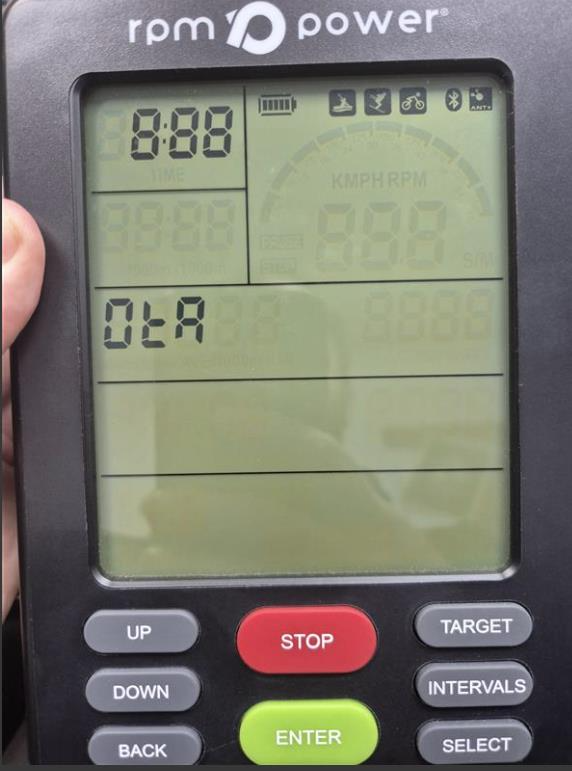
FIG 1.
The software update process should take just 2–3 minutes, and the monitor will reset automatically once complete.
iPhone users - Please choose your product and follow the steps outlined in the PDF below:
| Product Type | Software Update Instructions | Software Update File |
| View PDF | Open file | |
| View PDF | Open file | |
| View PDF | Open file |
Android phone users - Please choose your product and follow the steps outlined in the PDF below:
| Product Type | Software Update Instructions | Software Update File |
| View PDF | Open file | |
| View PDF | Open file | |
| View PDF | Open file |
If this does not solve the issue for you or if you have any questions on this process, please feel free to get in touch with us, and we'll be happy to help.
Was this article helpful?
That’s Great!
Thank you for your feedback
Sorry! We couldn't be helpful
Thank you for your feedback
Feedback sent
We appreciate your effort and will try to fix the article